Friday, 27 January 2012

Clinkz the Bone Fletcher has risen from his grave for DOTA 2

My bones ache for vengeance

Clinkz the Bone Fletcher has risen from his grave and from the looks of him, he looks a bit upset.
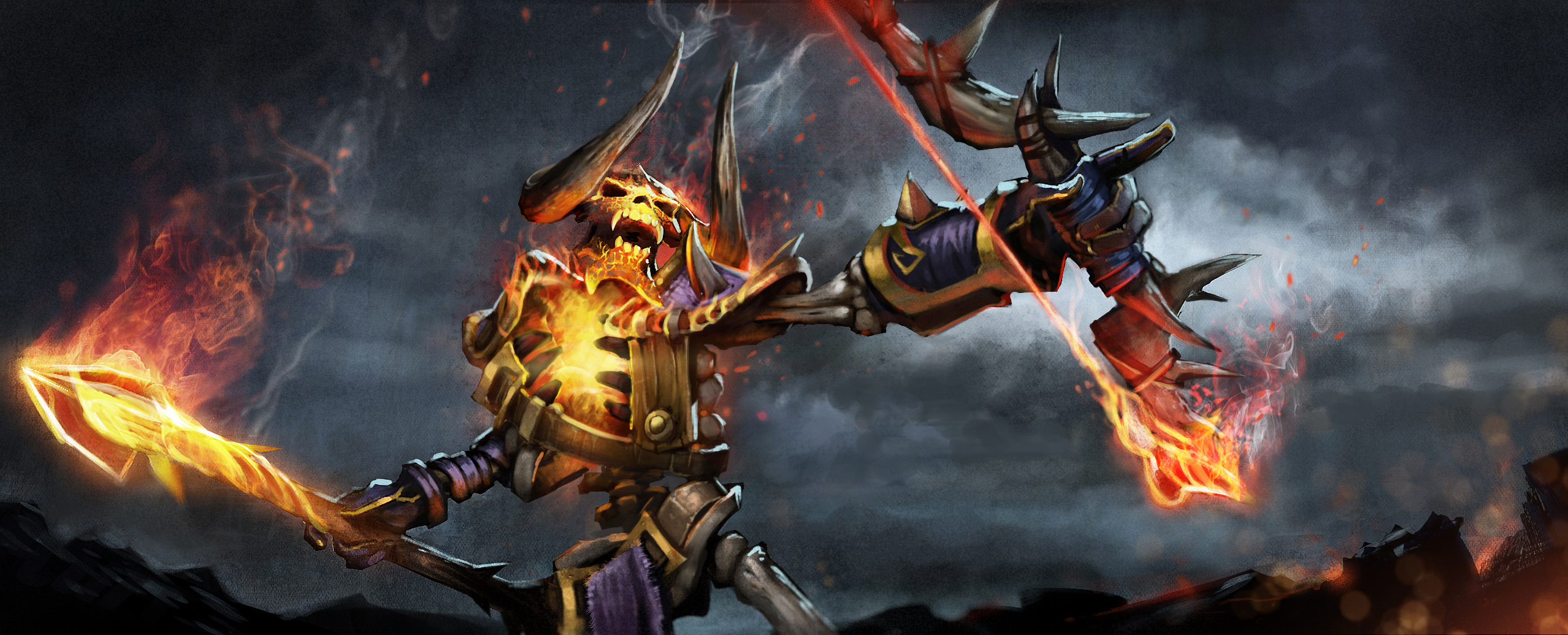
Oh he mad
We’ve been glued to our monitors watching the matches coming out of The Defense, make sure you stop by and check them out.
Next week we will change the way we ship new content to you every week. As mentioned in our previous update, old replays will stop working then, so don’t forget to save your favorite moments out to a video format.
Lastly, patch notes can be found here.

Monday, 23 January 2012

Patch Update: Lucky # Silencer and Spirit Breaker

Patch Update: Lucky # Silencer and Spirit Breaker

Silencer and Spirit Breaker

Hello everyone, we are happy to announce that after almost three weeks the new patch is here and... you guessed it: it's a big one! So all of you little whiners can now stop crying and enjoy the biggest update so far! But let's get down to the details! This weeks patch brings us all the 6.73 version changes, the 5 new items, 2 more heroes (Silencer and Spiritbreaker) that just got ported and changes on teh spactator mode of the game! All in all exciting news! I don't know about you but I surely feel that the waiting is justified!So, this week's main features are: 
  • The complete 6.73 changelog has been incorporated to the game!
  • Silencer is introduced to the game.
  • Spirit Breaker is introduced to the game.
  • Unlimited Spectators is slowly being added to most games.
  • Autospeed Mode added to the replays.

Weekly Patch Update # Invoker

Weekly Patch Update #Invoker

Invoker

Hello everyone! A new patch is here and it brings one of your favorite heroes back to you: Invoker is added to the game! In addition Player Profiles are enabled and you can check them by clicking either on your or anyone else's name in the DOTA2 Interface. There are quite a few stats already there but do give Valve a hand by suggesting more/other stats you deem necessary!

So, this week's main features are: 
  • Invoker is introduced to the game.
  • Player Profiles is added to the game.

Dota-Two Cast VOD


Dota-Two Cast VOD - NADL

Hello from the Dota-Two Cast Team and first and foremost, sorry for not uploading in a while, we’ve had some problems with our videos not being able to process. We have solved the problem so we should now be able to proceed with our normal upload schedule. Today we have a NADL league game for you to watch; it was a back and forth game which will keep you guessing until the very end. We hope you guys enjoy the game!

Thursday, 19 January 2012

Warcraft 1.26 Patch | Warcraft 3 TFT v1.26 Patch Download & Changelogs

Warcraft 1.26 Patch
Warcraft 1.26 Patch is now officially released. This is new hotfix update shortly released after Warcraft 1.25b Patch. It brings some tweaks to Hex mechanics and fixes a major disconnection issue with Mac while playing on Battle.net realms. Updating to Warcraft 3 TFT 1.26 patch is necessary as it fixes some DotA mechanics.

How to install Warcraft 3 1.26 Patch

Choose one of the following ways:

- Use Warcraft 1.26 Switcher to upgrade. (Warcraft Version Switcher)
- Use Warcraft 1.26 Patch offline upgrade file from Blizzard. (Recommended)
- Install Warcraft 3 TFT 1.26 Patch via Battle.net automatic update. (Requires original Warcraft 3 CD-Key)

Warcraft 3 TFT/ROC 1.26 Patch Notes:

Fixes:
• Hex will no longer provide a speed boost to a Hero if cast at the end of Metamorphosis or Chemical Rage effects.
• Reverted the 1.25b fix, "Hex will no longer extend the duration of Metamorphosis."
• Fixed an issue where some Mac patches could lead to disconnections during Battle.net games.

Common Issues/Notes:
• If you are receiving "Warcraft/InstallPath" error while installing War3 1.26 Patch, Read this guide.
• You can use Warcraft Version Switcher 1.26 easy upgrade, if you have v1.25b previously installed.
• Older Warcraft 3 replays won't work in this update.
• v1.26a is 1.26.0.6401
• If you are having any other problems while installing this patch, please notify us.

DotA IMBA 3.77b AI EN Download - DotA IMBA Map

DotA IMBA
DotA IMBA 3.77b AI EN Map is one more addition in the huge database of DotA based fun-mode maps. The term imba is derived from "Imbalance" word which is often used as online gaming slang. DotA IMBA is certainly an imbalance map, It has IMBA-fied abilities of every hero in DotA. Imagine meat hook with 3500 range and POTM's Elune arrow going through the whole map.

Features:

• Imba Hero Spells/Abilities
• More powerful items.
• Obtain a free random item (from Ancient of Wonders shop)
• Achievement Points
• Improved Visual effects
• New Hero: Ice Phoenix
Screenshots:
Pandaren Brewmaster Primal SplitOmniknight Purification
Shadowfiend Requiem of SoulsPugna Nether Blast


DotA IMBA v3.77b AI EN Download:

DotA-IMBA-3.77b.rar (mirror 1)

Download the map and extract it in your "Warcraft 3\Maps\Download" folder.

The cool feature about this map is, You can play it offline against computer (AI bots) and have fun, This map has some extra items too for more fun which is pretty amusing. DotA IMBA was originally created by Chinese map developer(s) Mimya, later Harreke provided English translation of this map. Make sure you play this map with your friends, You won't regret

Garena Host Bot Download & Guide

Garena Host Bot
Garena Host Bot is a program for Garena Warcraft 3 Game Server hosting. This program is based on Varlock Ghost++ and GhostOne project but it is only for Garena not Battle.net. It allows you take full control over your server, it can host games automatically, you don't need to be in game to set the mode. Garena Host Bot all does it for you!

Garena Host Bot Features:

• Start Vote kick or ban players during game.
• Control the game latency and sync limit to reduce lag/delay.
• Ability to auto-save games if someone is disconnected, so it can be re-loaded after wards.
• Ability to Mute anyone's chat.
• Set Minimum or Maximum Garena Level & Country restrictions to join the host.
• Automatically kicks high ping players.
• Restrict your game to limited countries.
• Ability to reserve slot for some player.
• Enable or Disable map downloads and set it's speed.
• Auto-Ban Leavers & Name spoofers
• Disable Resource Trade or Sharing
• Shows Players loading time when game starts.
• and much much more..

Garena Host Bot Guide / Tutorial:
• Download Garena Host Bot
• Create a new folder and extract all the files there.
• Now Start "GarenaHostBot.exe"
• Garena Host Bot v4.0 configurator window will appear, configure it, click set and close it.
• Garena Host bot will start
• Start Garena, join a room.
• Open Garena Host Bot window from the taskbar and click Run!
• The game will be hosted.
• Now, You can join your host to take the full control of it.
• Enjoy & make sure you read all the Garena Host Bot commands to make full use of it.

Garena Host Bot 4.0 Download:
GarenaHostBotv4.0.rar (mirror 1)

Garena Host Bot Problem:
• You can join your game and others can't
Reason: Your ports are not opened. Make sure if your ports 6112 to 6119 are opened or forwarded so you can use Garena Host bot otherwise it won't work. If you are using a Modem/router. Visit this website to find out on how to forward your ports. Also, check if your Windows Firewall is blocking GHB.
Note:
• If Garena Host Bot is not starting or giving any error. Please install these Windows Updates:
Microsoft .NET Framework Version 2.0 Redistributable Package.
Microsoft Visual C++ 2008 Redistributable Package.
• Garena Host Bot currently does not work Garena Messenger.
• If you have any problems, please post a comment.

Crisgon DotA Toolkit - Advanced Toolkit for Warcraft 3 DotA

Here comes an awesome pack of DotA Tools developed by Crisgon. It's basically a normal Warcraft 3 Toolkit but with some advanced addons specially designed for DotA. This program has almost every utility which a DotA Player must have during the game. This includes incredible features like CustomKeys, FPS improver, Meepo Bot, Invoker Bot and much more.

Now players won't have to open multiple programs for the specific functions because this program has all of them!


Warcraft 3 Themes - Customize Your Warcraft 3 Appearance!

Warcraft 3 Themes Mods
Here comes a set 46 Warcraft 3 Modded Themes (by K-4-iN) which can make your Warcraft 3 stylish by customizing the old background animation and buttons texture, it doesn't change anything inside the game. These themes are available for Normal & Widescreen resolutions and comes with 7 different color chains. Check out the Warcraft 3 Themes preview & installation guide.

Some Screenshots:


Warcraft 3 Themes (mods) Download:
• Warcraft-3-Themes.rar (mirror 1)

This compressed file contains 46 different Warcraft 3 Mods with their previews. 


Warcraft 3 Mods/Themes Installation Guide:

Step 1, Get the Files
• Download the Warcraft 3 Modded Themes from the links above and extract the compressed file to any folder using WinRAR.

Step 2, Select your theme
• Select your favorite Warcraft 3 theme from "Themes" folder, you will find screenshots there of every theme along with their installation files.

Step 3, Install the Theme
• Now, Run "CUSTOMBG.reg" and copy the "Textures" and "UI" folder to your Warcraft 3 InstallationDirectory.

Step 4: Enjoy
• Your Warcraft 3 theme is installed!

Step 5: Uninstalling
• If you want to uninstall your Warcraft 3 theme, just remove the "Textures" and "UI" folder from your Warcraft 3 Folder and Run "UNINSTALL.reg" file from your Warcraft 3 Themes directory.

Notes:
• Your Warcraft 3 must be closed during the installation of the modded themes.
• If you do not have functioning background of your theme, go your "Passo2" folder from your selected theme directory. Move/copy the folder "UI" into the "Warcraft III" directory and replace the files.
• All credit goes to K-4-iN for making the Warcraft 3 Mods.
• If you have any problems, just post a comment!